In order to insert/update UTF8 Data from a transformation in an DB field, the JDBC driver configuration has to be explicitly configured with characterEncoding=UTF-8
This then also works with polsih diacritics like “Młotkowski”
So for 2020 there are 542k entries. In order to download metadata data (or in my case just the DOI, date of DOI registration and the Elsevier internal ID) I’m using again the REST API of Crossref.
Actually a Crossref query is limited to provide max 1000 DOIs. Using cursors, it’s however to possible to loop further and get about 100k DOIs before the API times out. So in order to get all publications from 2020 I created a monthly batch based on the created date like:
In PDI I’ve created a job, that handles the cursor and repeats the transformation with the REST Query as long there is a new cursor coming back from Crossref.
It’s important that there’s a HTTP-Header like: “Mozilla/5.0 (Macintosh; Intel Mac OS X 10_15_5)”, otherwise the Pentaho Client will be routed to a error page.
Extracting data from abstract HTML
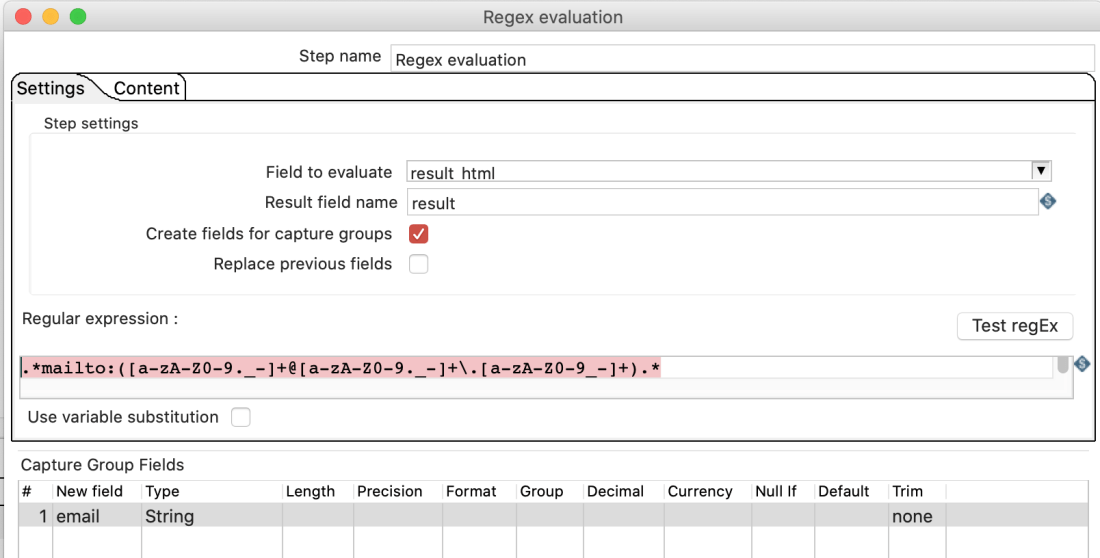
Elsevier makes it very easy to extract information about the article without going deep into the HTML-Structure of ScienceDirect. Within the HTML there’s a whole section with structured data in JSON:
Having the JSON data block separated from the rest of the HTML, we now can pass it to the JSON-input step. There is really plenty of information and much more than you would see via front end.
An author can have multiple labels/refids, emails, contributor-roles. In order to get those flat in a row separated by a coma, a group step can be used, while getting it back into the stream using the “stream lookup”-step:
Merge affiliations and authors
In a third step authors and affiliations are merged by the the label:
in order to get a list with authors and affiliations
Extracted authors and affiliations from Elsevier articles
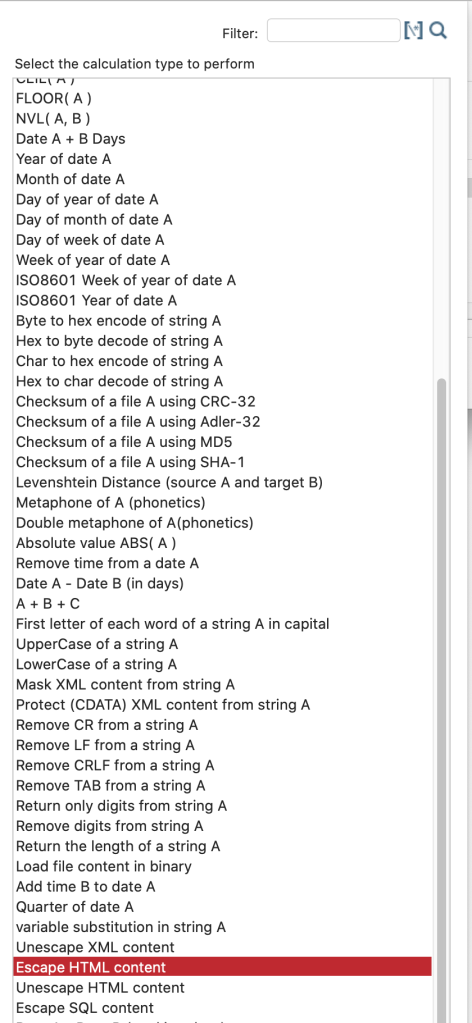
When working with HTML you may want to change a string from HTML to default encoding (and vice versa). Pentaho data integration provides that option within the calculator step:
Alternatively to the “Replace in string”-Step, the “Modified JavaScript value”-Step can be used to replace something in a string. eg. here to replace a carriage return with a white space:
In the last post I created a sub-transformation with a “transformation executor” step. It works, but I had to look up the results from the sub-transformation in a later step. However, Pentaho Data Integration (PDI) however offers a more elegant way to add sub-transformation.
In your sub-transformation you insert a “Mapping input specific” step at the beginning of your sub-transformation and define in this step what input fields you expect. At the end you add an “Mapping output specification” step, where you don’t have to specify anything.
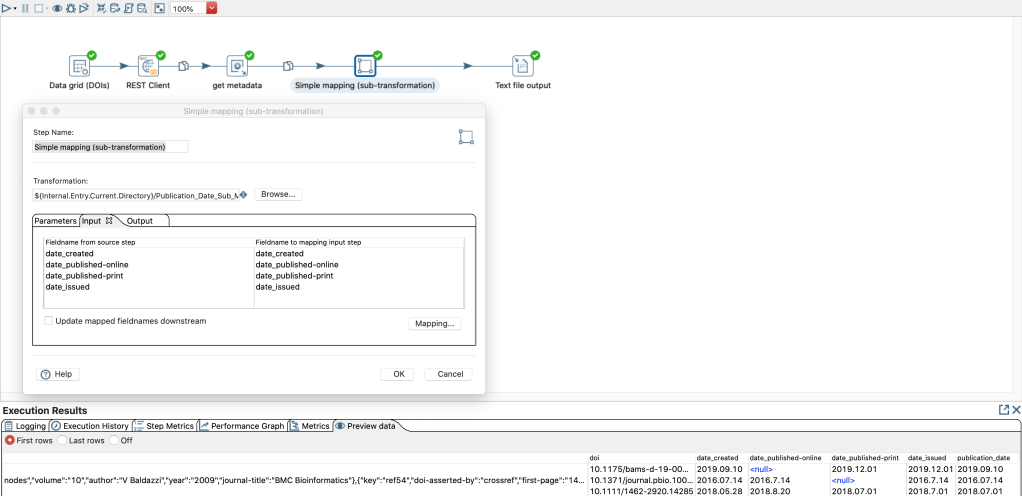
So in the main transformation you can add the step “Simple mapping (sub-transformation)”.
sub-transformation in the category Mapping
In this step you can map the fields of the parent transformation to the expected fields that you have defined in the input step of the sub-transformation. If you use the same field names, PDI provides a nice auto-mapping feature in the step options: “Mapping…” -> “Guess…”
It is not necessary to specify the “Output” tab, because in this case all fields created in the sub-transformation become available in the following steps of the super/main transformation.
The advantage here is that the fields that you have not passed on to the sub-transformation are directly available in the following steps of the partial/main transformation.








 Pentaho & Apache Hop Hints